AirPods Max update: lossless audio and ultra-low latency
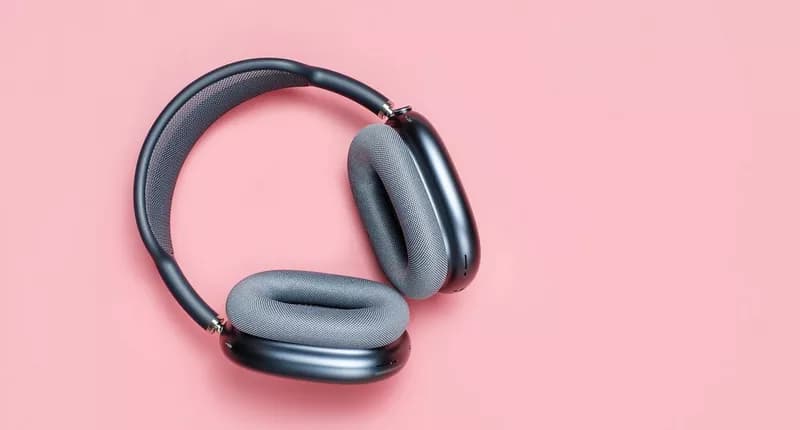
AirPods Max are some of the best headphones you can buy. Active Noise Cancelling tech that blocks out distractions. Immersive Spatial Audio. 20 hours of battery life. You name it, they've got it. And now, there are two more reasons to love them...
That's because Apple's just rolled out a free firmware update which brings lossless audio and ultra-low latency to the party. Letting you enjoy high quality, lag-free sound when indulging in your fave movies, games, and albums.
What is lossless audio?
Most audio files are 'compressed' to reduce their size. But there are two main types: lossy and lossless. Lossy formats, like MP3, can strip away too much audio data, leading to a less detailed reproduction. Lossless formats like FLAC, ALAC, and AIFF use clever compression algorithms to reduce file size without losing any original audio info.
Lossless audio with AirPods Max
With Apple's new firmware update, you'll be able to play 24-bit, 48 kHz lossless audio files through your AirPods Max headphones -- connected via USB-C cable. Over 100 million songs can be streamed in lossless audio on Apple Music.
What does ultra-low latency bring to AirPods Max?
The latest firmware has turned AirPods Max into a great gaming headset too. Just plug them in with USB-C and you'll get practically zero response delay. This gives you a competitive edge for hearing footsteps and airstrikes approaching.
Benefits for music creators
With lossless audio support, you can enjoy higher quality playback for mixing with extra precision. The low latency now lets you record instruments in real time while wearing these headphones. AirPods Max have also become the only headphones that allow you to create and mix music in Personalised Spatial Audio using Logic Pro.
How to update your AirPods Max's firmware
Your AirPods Max should update automatically. If not:
- Connect your AirPods Max to your iPhone, iPad or Mac.
- Insert the charging cable into the right earphone.
- Wait around 30 minutes for firmware to update.
- Reconnect your AirPods Max.
- Check the firmware version in Settings.
FAQs
Can AirPods Max Lightning models run the latest firmware?
No, only the newer AirPods Max USB-C headphones are supported.
Are AirPods Max worth it?
If you want top-notch sound quality and seamless Apple connectivity, they're definitely worth it -- especially with lossless audio and ultra-low latency now included.