How to connect JBL headphones to your iPhone
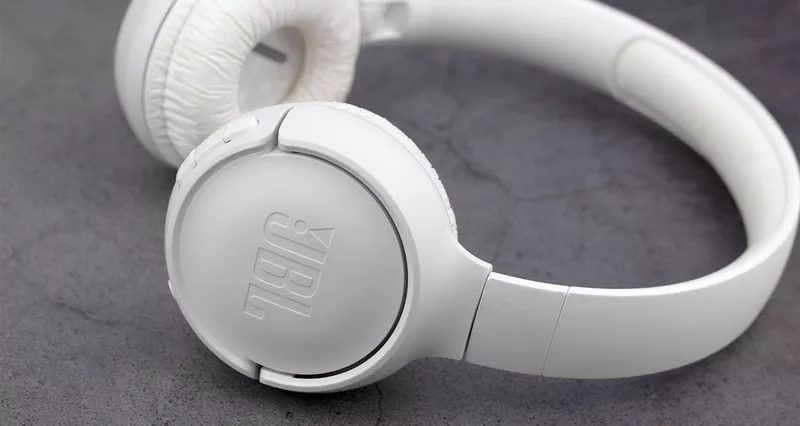
So, you've just got yourself a pair of JBL wireless headphones. And we bet you can't wait to test them out with your favourite playlist or podcast.
But before you can tune in, you'll need to connect your new headphones to an audio device over Bluetooth. And if you're rocking an iPhone, our easy step-by-step guide will help you get them synced up without a hitch. We'll teach you how to pair JBL earbuds too!
Understanding JBL headphones pairing mode
Pairing mode is what allows you to wirelessly connect your JBL headphones to a device via Bluetooth. Some models will have a specific Bluetooth pairing button -- press and hold it, then watch for the blue flashing LED light. On some models, you'll hold down the power button instead.
How to pair JBL headphones with an iPhone
- Turn on your JBL headphones: Make sure they're charged up and switched on.
- Activate pairing mode: Press and hold the Bluetooth pairing button until the LED starts flashing.
- Open Bluetooth settings on your iPhone: Go to Settings > Bluetooth and make sure it's toggled on.
- Select your JBL headphones: They should appear in the list of available devices.
- Confirm the connection: The LED light will stop flashing and remain solid.
Troubleshooting Bluetooth connection issues
- Pairing failure: Try toggling Bluetooth off and on again.
- Unrecognised device: Tap the 'I' icon, select 'Forget this device' and try connecting from scratch.
- Interruptions: Make sure there aren't obstacles between headphones and iPhone, and check no other devices are trying to pair.
Pairing JBL headphones with other devices
JBL headphones can be paired with laptops, tablets, TVs, or anything that streams audio via Bluetooth. The process is similar -- enable Bluetooth on the device, put your JBL headphones in pairing mode, and select them when they appear.
How to connect JBL earbuds to your iPhone
- Turn on your JBL earbuds: Open the charging case and remove them.
- Activate pairing mode: If they don't enter automatically, press and hold the buttons on both earbuds.
- Open your iPhone's Bluetooth settings: Go to Settings > Bluetooth.
- Select your JBL earbuds: Tap on them to connect.
FAQs
How do I make my JBL headphones discoverable?
Hold down the Bluetooth pairing button and wait until the LED light starts flashing.
Where is the Bluetooth pairing button on JBL headphones?
It varies by model -- usually on the side or bottom of one earcup with a Bluetooth symbol. Some models use the power button instead.