How to update AirPods firmware
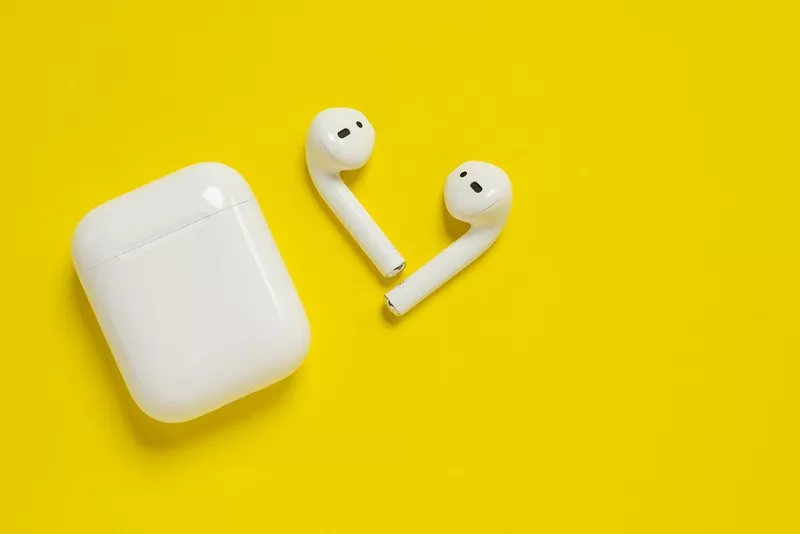
You know those shiny new AirPods you've got? Well, they can get even better with regular firmware updates. These software downloads bring extra features, improvements, and bug fixes to your buds. And they're super simple to access too.
Why update your AirPods?
The latest AirPods firmware can improve everything from performance to battery life. The firmware is usually packed with new features too -- like spatial audio, or better connectivity. Plus, these updates come with important security fixes.
Preparing your AirPods for an update
- Make sure your AirPods are charged -- otherwise, they might die halfway through!
- Connect your AirPods to your iOS gadget -- they need to be connected to an iPhone or iPad running the latest version of iOS.
Checking the current firmware version
- Pop your AirPods in their case and flip open the lid.
- Bring your device close to the case. A pop-up window should appear showing the current firmware.
Starting the firmware update
- Keep your AirPods in their case and check they're connected to your iOS device.
- Make sure your iPhone or iPad is connected to Wi-Fi and has enough battery.
- Leave your AirPods case open and near your iOS device.
- Wait for the firmware update to be automatically downloaded and installed.
Troubleshooting update issues
- Restart your device -- turning them off and on again can fix connectivity issues.
- Reset your AirPods -- hold the setup button on the back of the case for about 15 seconds until the light flashes amber, then white.
- Check for iOS updates -- AirPods firmware updates are often bundled with iOS updates.
- Contact Apple Support -- if nothing else works.
FAQs
Do AirPods need to be updated?
You don't have to, but you'll miss out on the latest features and performance boosts.
How do you manually trigger an AirPods update?
There isn't a way to manually trigger it. Updates are sent automatically when connected to an iOS device with the latest software.
How do I update my AirPods' firmware without iOS?
Currently, the only way is through an iOS device running up-to-date software.